
Analyse 1
Tools, monitoring and freeze
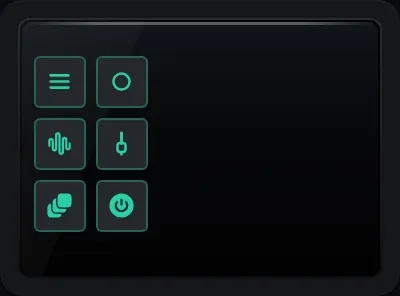
The tools column. Hover over a button to see its name.
| Button | What it does |
|---|---|
| Menu | Modules, layouts, monitoring and the other settings. |
| Mono | Folds what you hear to mono, to check the mix holds together on one speaker. |
| LF solo | Plays only the low end, summed to mono, below a crossover you choose from 60 to 200 Hz (120 Hz to begin with). |
| Dim | Turns what you hear down by 20 dB. |
| Freeze all | Holds every module still at the same instant. |
| FX bypass | Switches the master FX chain on and off, and always shows REAPER’s real state. |
| Reset holds | Clears anything held on screen and wipes the spectrogram. |
Checking the mix without touching it
Section titled “Checking the mix without touching it”Mono, LF solo and Dim change only what you hear. They act on the monitoring path, after everything else, so they never end up in a render and never change your project. While one is on, an orange bar across the top of the strip says which, and how much it is changing the sound, so you cannot forget it. They switch themselves off when you hide the panel.
Freeze
Section titled “Freeze”Each module has its own small freeze button in its top right corner, for holding a display still so you can read it. Freeze all freezes every module at the same moment, so the spectrum and the waveform you are comparing really are from the same instant. The audio carries on as normal; unfreeze and the module goes straight back to live.
The menu
Section titled “The menu”Besides modules and layouts, the menu holds Analysis enabled, which switches Analyse 1 off completely while the panel stays where it is, so it uses no processor time. The monitoring buttons, freeze, FX bypass and reset holds are repeated in the menu too, for when a short docker cannot fit them all in the tools column.
Accents, light or dark
Section titled “Accents, light or dark”Choose coral, teal, blue, or an accent that follows your REAPER theme, in light or dark. The screens look the same in both modes, so a meter reads the same at 2am and at noon.