
Analyse 1
The strip
Open it from Extensions › Kerf Audio Analyse 1: Show/hide panel. The menu item shows a tick while the panel is open; choose it again to hide it.
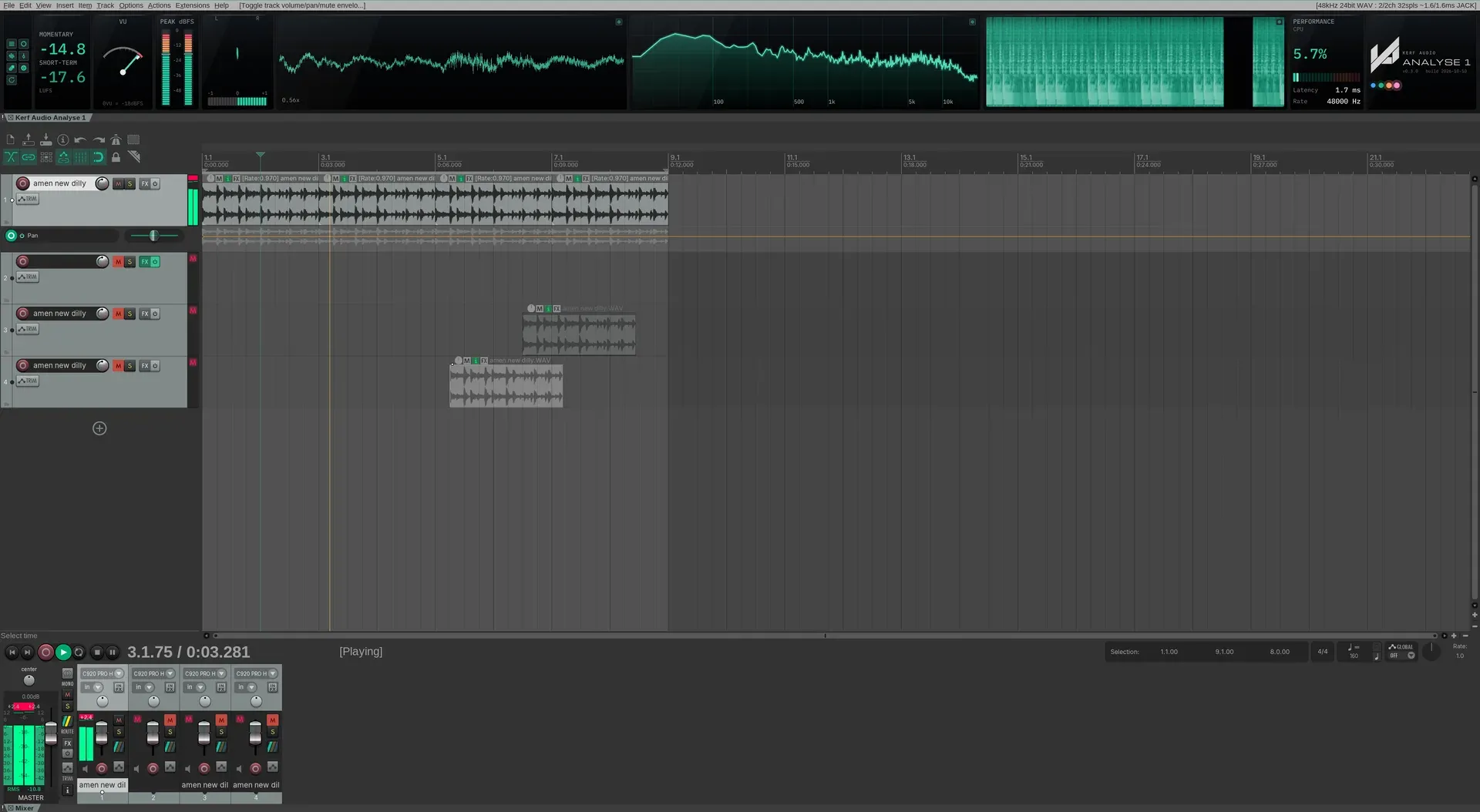
Analyse 1 docked across the top of REAPER, above the arrange view.
The strip lives in a docker across the top of REAPER’s main window, where it takes 150 pixels of height and leaves the arrange view alone. If you already have a docker at the top, Analyse 1 joins it. Right-click its tab to dock it elsewhere or float it; once moved, Analyse 1 leaves your choice alone.
The same command is in REAPER’s action list. On Linux it has no shortcut to begin with, so it cannot clash with yours: open Actions › Show action list, search for Analyse 1 and press Add under Shortcuts to give it one.
A tour of the strip
Section titled “A tour of the strip”From the left: the tools column, LUFS, VU, Peak, Goniometer, Scope, Spectrum, Spectrogram, Performance and Brand. Each instrument is a module with its own screen. You choose which modules show, their order and their width.
| To | Do this |
|---|---|
| Show or hide a module | Menu › Show / hide. |
| Reorder | Drag a module sideways to where you want it. |
| Resize | Drag the gap between two modules. Only those two change. |
| Pop one out | Menu › Pop out, for example the spectrum on a second screen. Close the window to send it back. |
| Save a layout | Menu › Layouts, to save, load or delete layouts by name. |
If the docker is too narrow for everything you have switched on, modules at the right-hand end step aside rather than everything being squashed. Widen the docker and they come back.